THE STUDIO NOTEBOOK
How to Make a Personalized Embroidery Monogram
Arrange initials, choose a style, and frame a monogram for your next embroidery project.
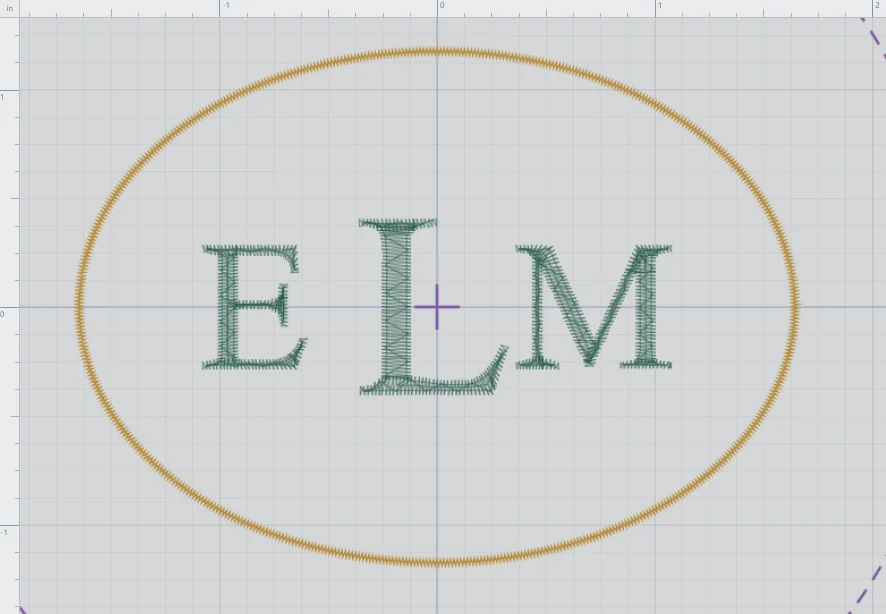
Decide the initial order
For an example, use ELM. Enter initials in the visual order you want. If your selected style makes the center initial larger, place that initial in the middle.
Open Monogramming
Choose M in the workspace to open the monogram panel. Enter the initials in the letters controls, choose a font and lettering style, and set the letter height and thread color.
Choose a border
In the border controls, choose a shape, dimensions, satin width, and color. An oval can frame three initials; a circle needs equal width and height. Review the preview before creating the group.
Create and position the monogram
Use the panel’s Create / Update action to add the design. Select the resulting group to move it in the workspace. To revise it, select the monogram again and reopen its controls.
Check the final design
Inspect the letter spacing, border, finished dimensions, and hoop placement. Save the project before exporting and stitch a sample on your intended fabric and stabilizer.