THE STUDIO NOTEBOOK
How to Create Embroidery Lettering Online
Turn a name or short message into embroidery lettering, then adjust its size and layout.
Open the studio and sign in
Choose Open Studio and enter your email. Request a six-digit verification code, then enter the newest code to sign in. Use the same email to reopen your projects.
Add your text
Choose the text tool (T), click in the workspace, and type a short example such as Emma. Select the text to show its lettering controls.
Choose a font and size
Choose an available embroidery font and set the height in inches. Start with a size supported by your font and fabric. Check the design dimensions rather than judging size from screen zoom.
Try three arrangements
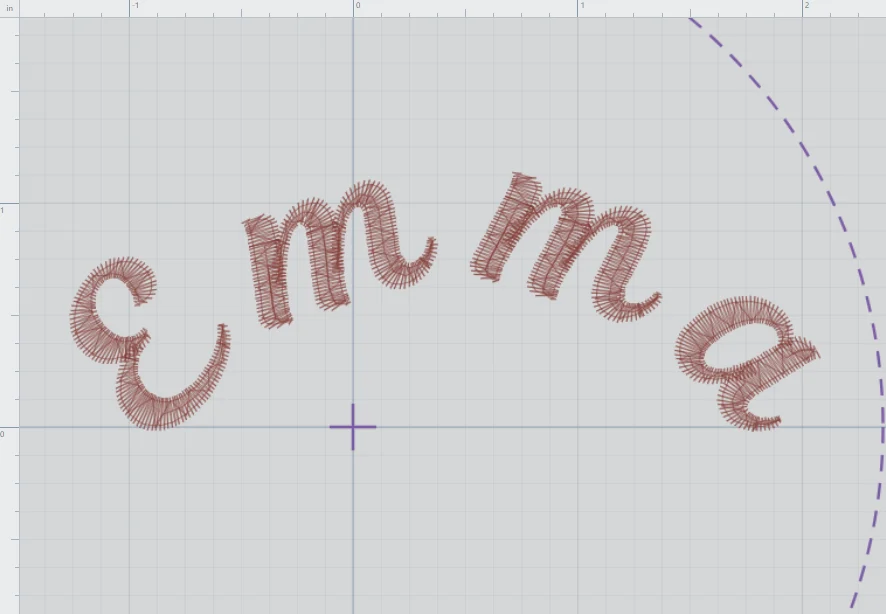
For a name tag, keep Straight. For letters stacked down a narrow space, choose Vertical. For a curved name, choose Arc and adjust its radius and direction. Select Letter can move individual letters; Reset to Straight restores their straight arrangement.
Inspect and save
Use Stitch View and Fit Design to inspect the arrangement. Save your project to return to it later. Export only after checking the dimensions and your machine format.